Estrategia de múltiples dominios: ¿cómo aumentar la visibilidad de tu marca en línea?
Utilizar varias URL para una sola marca es un método comprobado para aumentar tu alcance en línea. Una estrategia de múltiples dominios te permite dirigirte a diferentes audiencias, proteger el nombre de tu empresa de los competidores y construir una posición más fuerte en los motores de búsqueda. Pero antes de registrar direcciones adicionales, vale la pena entender los beneficios y riesgos — así como el lado técnico: elegir las extensiones adecuadas, configurar tu DNS y proteger tu marca contra el typosquatting.
¿Qué es una estrategia de múltiples dominios y quién se beneficia de ella?
Una estrategia de múltiples dominios significa utilizar varios nombres de dominio para una sola marca o un grupo de negocios relacionados. Cada dominio puede estar dedicado a un grupo objetivo diferente, línea de productos o mercado geográfico. Tanto las corporaciones globales como las empresas locales utilizan este enfoque para obtener una ventaja competitiva en línea.
¿Para quién tiene sentido esta estrategia?
Las empresas que operan en múltiples mercados geográficos utilizan dominios de nivel superior de código de país (ccTLD) para generar confianza con los clientes locales. Las empresas con un extenso portafolio de productos crean sitios web separados para diferentes líneas. Las marcas preocupadas por su reputación en línea aseguran variantes de nombre antes de que lo hagan los competidores — o los cybersquatters —.
Tres escenarios principales para aplicar una estrategia de múltiples dominios
El primero es la expansión extranjera — un dominio .de para Alemania o .fr para Francia señala a los clientes locales que entiendes su mercado.
El segundo es la protección de la marca — registrar variantes de tu nombre bloquea a los cybersquatters que registran marcas conocidas en diferentes extensiones.
El tercero es la separación de líneas de productos — cuando tu oferta es tan diversa que requiere una comunicación de marketing separada.
Ventajas de tener diferentes dominios para una marca
Múltiples dominios aumentan tu visibilidad en línea en varios niveles a la vez. No se trata solo de SEO — también se trata de la confianza del cliente, la precisión en las campañas publicitarias y la protección contra la competencia desleal.
Mayor visibilidad en los motores de búsqueda
Los dominios dedicados te permiten posicionarte para diferentes conjuntos de palabras clave. El sitio web ksiegowosc-warszawa.pl puede dirigirse a diferentes frases que biurorachunkowe-wroclaw.pl, incluso si ambos pertenecen a la misma empresa.
Gary Illyes de Google ha confirmado que los ccTLD tienen un mejor rendimiento en búsquedas locales que los dominios globales, porque Google promueve contenido local a usuarios locales.
Según Straits Research, el mercado global de registro de dominios alcanzará los $3.62 mil millones para 2033 — una clara señal de que las empresas están invirtiendo cada vez más en un extenso portafolio de dominios.
Segmentación precisa de campañas publicitarias
Extensiones de dominio separadas para diferentes productos o promociones facilitan el seguimiento de la efectividad de la campaña. La página de destino "ubezpieczenie-w-podrozy.pl" genera tráfico diferente que "oc-ac-online.pl," incluso si ambos pertenecen al mismo asegurador. El análisis de conversión se vuelve más simple y la optimización del presupuesto más precisa.
Construyendo confianza con los clientes locales
Los visitantes prefieren sitios web en su propio idioma con una extensión asociada a su país. La investigación muestra que los australianos perciben el dominio .au como más creíble que .com para servicios locales. De manera similar, los usuarios polacos son más propensos a hacer clic en resultados con una extensión .pl al buscar negocios locales.
Protegiendo tu marca de la competencia
Registrar variantes de nombre evita que los competidores utilicen direcciones similares. Según DataProvider, los dominios de país más grandes por sitios web activos son .de (Alemania), .uk (Reino Unido), .ru (Rusia), .nl (Países Bajos) y .br (Brasil). Las empresas que operan en estos mercados deben asegurar extensiones locales antes de que lo haga alguien más.
¿Cómo utilizar dominios globales, regionales y funcionales?
Un nombre de dominio tiene dos partes: el nombre propio (por ejemplo, "tu marca") y la extensión TLD (por ejemplo, ".com"). La elección de la extensión afecta la percepción de la marca, la posición en los motores de búsqueda y las oportunidades de expansión.
Dominios globales (gTLD)
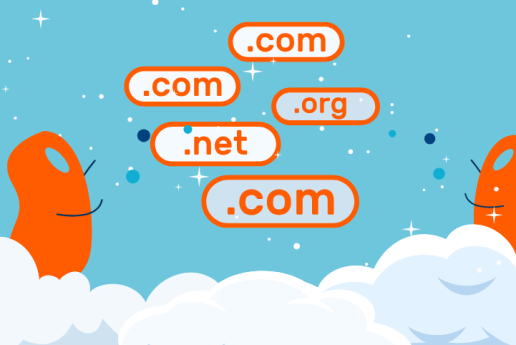
Los dominios globales no están asociados con ningún país. Los más populares son .com, .net, .org y .info. La extensión .com sigue siendo la más utilizada en todo el mundo, pero encontrar nombres disponibles y atractivos es cada vez más difícil.
Nuevos dominios globales (nuevos gTLD) ofrecen más posibilidades. Extensiones como .shop, .store, .tech y .agency son a menudo más baratas y más fácilmente disponibles que el clásico .com.
Dominios de país y regionales (ccTLD)
Las extensiones de país de dos letras generan confianza con los clientes locales. En Polonia, por ejemplo, los bancos utilizan el dominio .pl como un marcador estándar de credibilidad — es difícil imaginar un banco polaco operando bajo .com.
ccTLD populares para empresas que operan en Europa:
- .de — Alemania
- .fr — Francia
- .es — España
- .it — Italia
- .cz — República Checa
- .sk — Eslovaquia
Los dominios regionales polacos como .waw.pl o .wroclaw.pl también están disponibles para empresas que operan localmente.
Dominios funcionales (de industria)
Nuevas extensiones te permiten comunicar tu perfil empresarial de un vistazo:
- Comercio electrónico: .shop, .store, .market, .deals, .boutique
- Servicios profesionales: .agency, .consulting, .law, .legal, .accountant, .design
- Salud y fitness: .health, .clinic, .dental, .fitness, .yoga
- Tecnología: .tech, .digital, .software, .app, .cloud, .dev
- Medios y entretenimiento: .tv, .media, .film, .music, .photography
- Alimentos y turismo: .restaurant, .cafe, .bar, .travel, .hotel
- Bienes raíces: .realestate, .property, .construction, .house
Ejemplo de una estrategia de múltiples dominios combinada
|
Dominio |
Propósito |
|
brandXYZ.com |
Dominio internacional principal |
|
brandXYZ.de, brandXYZ.fr |
Mercados extranjeros |
|
brandXYZ.store |
Tienda en línea (redirección) |
|
brandXYZ.eu |
Seguridad / presencia en la UE |
Principales riesgos y desventajas de gestionar múltiples dominios
Una estrategia de múltiples dominios conlleva riesgos específicos. No te preocupes — ser consciente de ellos de antemano significa que puedes evitarlos fácilmente.
Cannibalización de tráfico
Cuando dos dominios pertenecientes a la misma empresa apuntan a las mismas palabras clave, ambos se posicionan más bajo que si hubiera solo un sitio web fuerte. Por ejemplo: sklep-meblowy.pl y meble-online.com con descripciones de productos idénticas competirán entre sí en Google en lugar de complementarse.
Contenido duplicado
Copiar contenido entre dominios es uno de los errores más comunes. Google trata el contenido duplicado como una señal de baja calidad y puede bajar las clasificaciones de todas las versiones. Sin la configuración técnica adecuada (etiquetas canónicas), tus dominios pueden trabajar en contra de sí mismos.
Etiqueta canónica
La etiqueta rel="canonical" le dice a los motores de búsqueda qué versión de una página es oficial y debe ser indexada. Implementación en la sección <head>:
<link rel="canonical" href="https://www.main-domain.com/page/" />
Reglas clave:
- Siempre usa URLs completas
- Agrega canónica a cada página, incluso cuando no tengas duplicados
- La canónica consolida las señales de enlace a la versión preferida
Etiqueta hreflang
El atributo hreflang (introducido por Google en 2011) le dice a los motores de búsqueda qué versión de idioma o regional de una página servir a qué usuario. El atributo x-default especifica la versión de respaldo para usuarios fuera de las regiones definidas.
Importante: cada versión de idioma debe tener una canónica apuntando a sí misma — no a otra versión de idioma. Configurar la canónica de la versión francesa a la versión inglesa es un error; Google simplemente ignorará la versión francesa.
Ejemplo de configuración correcta:
- Versión PL: canónica → PL + hreflang apuntando a DE, EN
- Versión DE: canónica → DE + hreflang apuntando a PL, EN
- Versión EN: canónica → EN + hreflang apuntando a PL, DE
Costos de gestión
Cada dominio requiere un alojamiento DNS separado, configuración y un certificado SSL. Con 5 dominios, tienes 5 veces más posibilidades de perder una fecha de renovación o experimentar una brecha de seguridad.
Buenas noticias: en un alojamiento de calidad, los certificados SSL pueden ser gestionados y renovados automáticamente (AutoSSL) y generalmente están incluidos en el precio del alojamiento.
También ten en cuenta el costo de crear contenido único o traducciones para cada dominio. Las herramientas de IA pueden ayudar con los flujos de trabajo de traducción.
Dilución de enlaces
Los enlaces externos construyen autoridad de dominio. Si tienes 50 enlaces apuntando al dominio A, 30 al dominio B y 20 al dominio C, cada uno de ellos es más débil que si los 100 enlaces apuntaran a un solo sitio web. Las etiquetas canónicas ayudan a consolidar parcialmente esta autoridad.
Analíticas más complejas
Rastrear el camino del usuario a través de dominios (por ejemplo, dominio regional → dominio principal → tienda) requiere una configuración avanzada de Google Analytics 4 con seguimiento entre dominios. Sin esto, la atribución de conversión será incorrecta.
Cuándo no utilizar una estrategia de múltiples dominios
Evita múltiples dominios si:
- No tienes los recursos para crear contenido único para cada sitio
- Estás apuntando a las mismas palabras clave y grupos de audiencia con todos los dominios
- Te falta la experiencia técnica para gestionar múltiples CMS
- Tu presupuesto de SEO no es suficiente para apoyar cada dominio por separado
En estos casos, una mejor alternativa es un solo dominio con subdominios (por ejemplo, blog.tumarca.com) o subdirectorios (tumarca.com/blog).
Gestión central de dominios con WordPress Multisite y Mapeo de Dominios
WordPress Multisite te permite gestionar todos tus sitios web desde un solo lugar, lo que simplifica enormemente el trabajo de los administradores. En lugar de iniciar sesión en múltiples paneles, actualizar plugins por separado y rastrear certificados SSL individualmente, gestionas toda la red desde un solo panel — una solución práctica para empresas que ejecutan múltiples sitios web bajo diferentes dominios.
¿Qué es WordPress Multisite?
WordPress Multisite (MU) es una función que te permite gestionar múltiples sitios web desde un solo panel de administración. Introducido en WordPress 3.0, se ha convertido en una solución popular para agencias, corporaciones y propietarios de múltiples proyectos en línea.
Principales ventajas:
- Una instalación de WordPress soporta múltiples sitios
- Plugins y temas compartidos en toda la red
- Cada sub-sitio tiene su propia carpeta de medios separada
- Una actualización cubre todos los sitios simultáneamente
- El Super Admin gestiona la configuración a nivel de red; los administradores de sitios individuales gestionan su propio contenido
Cómo asignar diferentes dominios a una sola instalación (Mapeo de Dominios)
Los sub-sitios de WordPress Multisite pueden ser mapeados a un dominio de nivel superior fuera de la red. Un sitio creado como subsite1.networkdomain.com puede aparecer para los visitantes como domain.com — no sabrán que están utilizando una red Multisite en absoluto.
Antes de WordPress 4.5, el mapeo de dominios requería un plugin. Desde WordPress 4.5, es una función nativa — no se necesitan extensiones adicionales.
¿Cuándo es una buena opción WordPress Multisite?
Es ideal para sitios web internacionales que utilizan diferentes TLD localizados (.es, .co.uk), así como para organizaciones, universidades, casas de medios, agencias y redes de comercio electrónico con múltiples tiendas.
Una cosa a tener en cuenta: todos los sitios comparten los mismos recursos del servidor. Si el alojamiento falla, todos los sitios estarán indisponibles simultáneamente. Los administradores de sub-sitios tampoco pueden instalar plugins o temas por su cuenta — esto está reservado para el super admin.
¿Cómo proteger tu marca registrando dominios adicionales?
Protege tu marca antes de que alguien más lo haga. Registrar variantes de nombre protege contra el cybersquatting — una práctica que cuesta a las empresas millones de dólares anualmente en recuperación de dominios y litigios. La prevención siempre es más barata que una batalla legal.
¿Qué es el cybersquatting?
El cybersquatting es la práctica de registrar, vender o utilizar un nombre de dominio que se refiere a una marca bien conocida con la intención de obtener ganancias. Los cybersquatters registran dominios cuyos nombres son idénticos a marcas existentes — diferenciándose solo en la extensión o conteniendo modificaciones menores.
⚠️ Historia real: Nintendo solo recuperó el dominio supermario.com 15 años después de que fuera registrado por un cybersquatter en los años 90. Eso muestra cuánto tiempo y costo puede tener la lucha por tu propio nombre de marca.
Typosquatting y otras amenazas
El typosquatting implica deliberadamente escribir mal un nombre de dominio de una manera confusamente similar — por ejemplo, Googgle.com en lugar de Google.com.
Soundsquatting significa registrar dominios utilizando homófonos — palabras que suenan idénticas a nombres de empresas bien conocidas, como yootube.com. Con el auge de los asistentes de voz, cada vez más usuarios caen víctimas de este tipo de ataque.
Combosquatting combina un nombre conocido con otras palabras en el dominio (por ejemplo, newlinkedin.pl) y se utiliza frecuentemente en campañas de phishing.
¿Qué dominios deberías registrar preventivamente?
La forma más efectiva de contrarrestar el cybersquatting es registrar diferentes versiones de tu dominio y errores tipográficos comunes:
- Extensiones globales principales: .com, .net, .org
- Extensiones de país para tus mercados objetivo: .de, .fr, .es
- Extensión europea: .eu
- Errores tipográficos comunes (letras frecuentemente confundidas)
- Variantes con y sin guion
- Extensiones de industria que coincidan con tu perfil empresarial
Centralización con un solo registrador
Gestionar todos tus dominios con un solo registrador facilita el monitoreo y reduce el riesgo de perder fechas de renovación. Las personas involucradas en "renovación de captura" buscan activamente dominios que están cerca de expirar y los toman inmediatamente si el propietario original pierde la ventana de renovación.
Let's Domains ofrece soporte integral para registrar dominios de todo el mundo. Puedes gestionar todas tus direcciones desde un solo panel intuitivo y aprovechar precios competitivos.
Registro de marca
Para protegerte del cybersquatting, vale la pena registrar tu nombre de dominio como una marca — esto te da el derecho exclusivo de usar ese nombre comercialmente.
Registrar docenas de dominios por sí solo no es suficiente, sin embargo. La protección legal de la marca (marca registrada) es más efectiva en los países donde realmente haces negocios.
¿Qué hacer si alguien ya ha tomado tu dominio?
El primer paso más rápido es contactar directamente al usuario del dominio.
Si las negociaciones fallan:
- Contacta a un abogado especializado en derecho de internet
- Para dominios polacos, puedes presentar una queja ante el Tribunal de Arbitraje para Dominios de Internet
- Para dominios .eu, las quejas son manejadas por el Tribunal de Arbitraje en Praga
- Para otros dominios, puedes iniciar procedimientos a través de ICANN bajo el procedimiento UDRP
Bajo la ley polaca, el cybersquatting constituye una violación de la Ley de Combate a la Competencia Desleal.
Implementando una estrategia de múltiples dominios — paso a paso
Una estrategia de múltiples dominios exitosa comienza con un análisis de mercado exhaustivo y objetivos comerciales claramente definidos. Sin un plan, es fácil caer en la trampa de costos excesivos o cannibalización de tráfico. Aquí te mostramos cómo abordarlo:
Paso 1: Define los objetivos de cada dominio
Antes de registrar tu primer dominio adicional, responde a estas preguntas:
- ¿Está destinado este dominio a la expansión en un nuevo mercado geográfico?
- ¿Apoyará una línea de productos o marca separada?
- ¿El objetivo es protegerse contra el cybersquatting?
- ¿Servirá como una página de destino para una campaña específica?
Paso 2: Elige una estructura
Opción A — Sitios dedicados: Cada dominio lleva a una página separada con contenido único. Utiliza esto cuando apuntas a diferentes grupos de idioma o cuando deseas construir clasificaciones independientes en los motores de búsqueda.
Opción B — Redirecciones 301: Los dominios adicionales redirigen al sitio web principal. Elige esta opción para registros defensivos o cuando no tienes recursos para contenido único.
Paso 3: Registra dominios
En Let's Domains, puedes registrar dominios en más de 500 extensiones de todo el mundo. La lista de prioridades:
- Tu dominio de marca principal (por ejemplo, .pl para un negocio polaco)
- Extensión global (.com) si planeas expansión internacional
- Dominios de país para tus mercados objetivo
- Variantes protectoras (errores tipográficos, versiones con y sin guion)
Paso 4: Configura el alojamiento y DNS
En Let's Domains, el alojamiento DNS es gratuito cuando registras dominios. Para sitios web separados, agrega un registro A apuntando a la IP del servidor. Para redirecciones 301, establece el registro de redirección en el panel de DNS. Para WordPress Multisite, configura el Mapeo de Dominios.
Paso 5: Instala certificados SSL
Cada dominio — incluso aquellos utilizados solo para redirecciones — debe tener un certificado SSL. Utiliza un certificado gratuito, configurado automáticamente (AutoSSL) para cada dominio. Los certificados SSL gratuitos con configuración automática son una característica de seguridad estándar incluida con el alojamiento de Let's Domains.
Para asegurar un dominio principal y todos sus subdominios a la vez, un Certificado SSL Wildcard comercial es la opción correcta.
Paso 6: Crea contenido único o configura redirecciones
Para sitios web con contenido separado, implementa correctamente las etiquetas hreflang y canónicas. Para redirecciones: utiliza 301 (permanente) o 302 (temporal) dependiendo de tu intención.
Paso 7: Configura analíticas
- Configura Google Analytics 4 con seguimiento entre dominios
- Agrega cada dominio por separado a Google Search Console
- Monitorea las fechas de renovación de dominios para evitar perderlos
Paso 8: Planifica tu estrategia de SEO
Asigna un conjunto separado de palabras clave objetivo a cada dominio. Evita apuntar a las mismas frases en múltiples dominios. Construye enlaces internos entre dominios donde tenga sentido contextual.
Paso 9: Establece un calendario de revisión
- Mensual: verifica analíticas
- Trimestral: revisa clasificaciones de búsqueda y evalúa el ROI de cada dominio
- Anualmente: renueva dominios a tiempo
Recuerda: es mejor tener 5 dominios bien gestionados que 20 descuidados.
Resumen
Una estrategia de múltiples dominios es una herramienta poderosa para empresas que planean expansión, protección de marca o segmentación precisa de campañas. Múltiples dominios aumentan tu visibilidad en línea, generan confianza con los clientes locales y protegen contra el cybersquatting.
Al mismo tiempo, ten en cuenta los riesgos: cannibalización de tráfico, dilución de autoridad de enlaces y crecientes costos de gestión. Cada dominio en tu portafolio debe tener una justificación comercial clara y recursos dedicados para su mantenimiento.
La clave del éxito es la gestión centralizada con un solo registrador, un calendario de renovación organizado y una estrategia de SEO consistente. WordPress Multisite con Mapeo de Dominios simplifica la administración, mientras que las etiquetas canónicas y hreflang te ayudan a evitar problemas de duplicación de contenido.
Comienza con una auditoría de tus necesidades actuales, registra tus dominios preventivamente en Let's Domains y implementa tu estrategia paso a paso.
Preguntas Frecuentes (FAQ)
1. ¿Cuántos dominios debo registrar para mi negocio?
No hay una respuesta universal — depende de tus objetivos comerciales. El mínimo es tu dominio principal (por ejemplo, .pl para un negocio polaco) más una versión .com para protección de marca. Una empresa que opera en múltiples mercados puede necesitar de 5 a 10 dominios de país. La pregunta clave es: ¿tienes los recursos para mantener adecuadamente cada uno de ellos?
2. ¿Tener múltiples dominios ayuda con el SEO?
Sí — pero solo con la estrategia correcta. Los dominios dedicados pueden posicionarse para diferentes conjuntos de palabras clave y mejorar tu visibilidad general en SEO. Sin embargo, los dominios con contenido idéntico o que apuntan a las mismas palabras clave pueden perjudicar las clasificaciones de cada uno.
3. ¿Qué es el Mapeo de Dominios y necesito un plugin para ello?
El Mapeo de Dominios es el proceso de asignar diferentes dominios a sub-sitios dentro de una sola instalación de WordPress Multisite. Desde WordPress 4.5, esta es una función nativa — no se requiere plugin adicional.
4. ¿Cómo evito la cannibalización de tráfico entre dominios?
Asigna una audiencia objetivo o conjunto de palabras clave distinto a cada dominio. Si dos dominios tienen contenido similar, utiliza etiquetas canónicas. Para sitios multilingües, implementa correctamente las etiquetas hreflang.
5. ¿Redirigir un dominio a otra página afecta el SEO?
Una redirección 301 (permanente) transfiere la mayor parte del valor SEO del dominio redirigido al dominio objetivo. Esta es una buena práctica para dominios protectores y variantes tipográficas.
Categorías
Publicaciones similares y recomendadas


Publicaciones recientes


Publicaciones populares recientemente