¿Qué sucede con tu sitio web cuando tu dominio expira?
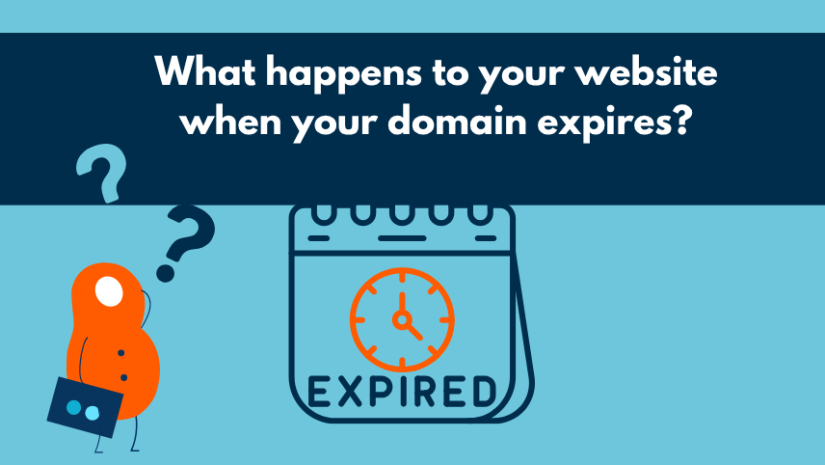
Abres tu navegador, escribes la dirección de tu sitio web — y no carga nada. O tal vez recibiste un correo electrónico advirtiéndote que tu dominio está a punto de expirar. De cualquier manera, es un momento estresante.
No te preocupes. La mayoría de los dominios expirados se pueden recuperar, y el proceso es más simple de lo que piensas. Este artículo te guía exactamente a través de lo que sucede cuando un dominio expira — paso a paso — y te muestra cómo asegurarte de que nunca suceda en primer lugar.
El ciclo de vida del dominio — una visión rápida
Cada dominio pasa por una secuencia predecible de etapas. Comprenderlas te da una imagen clara de cuánto tiempo tienes — y cuáles son tus opciones en cada punto.
|
Etapa |
Duración |
Qué significa |
|
Activo |
— |
Tu dominio está registrado y funcionando normalmente. |
|
Fecha de Expiración |
Día 0 |
El período de registro termina. El sitio y el correo electrónico pueden dejar de funcionar. |
|
Período de Gracia |
~0–30 días |
El dominio sigue siendo tuyo. Renueva al precio normal. |
|
Período de Redención |
~30–60 días |
La renovación sigue siendo posible, pero las tarifas son más altas. |
|
Eliminación |
Después de ~60 días |
El dominio es liberado y cualquiera puede registrarlo. |
Nota: Los plazos exactos varían según el TLD. El cronograma anterior se aplica a las extensiones más populares como .com, .net y .org. Los dominios de código de país (como .pl, .es o .pt) pueden seguir reglas diferentes.
¿Qué sucede inmediatamente después de que tu dominio expira?
En el momento en que tu dominio pasa su fecha de expiración, suceden algunas cosas en rápida sucesión:
-
Tu sitio web se desconecta. Los visitantes ven una página de error o un marcador de posición.
-
Tu correo electrónico deja de funcionar. Cualquier dirección vinculada al dominio — incluido el correo electrónico empresarial — se vuelve inaccesible.
-
El dominio entra en su Período de Gracia. Aún te pertenece — solo necesitas renovarlo.
¿Qué significa realmente "período de gracia"?
El Período de Gracia es una ventana — generalmente alrededor de 30 días — durante la cual tu dominio expirado sigue reservado a tu nombre. Nadie más puede registrarlo, y puedes renovarlo al precio estándar sin tarifas adicionales.
Este es el momento más fácil para recuperar tu dominio. Inicia sesión en tu cuenta de Let's Domains, ve a tu lista de dominios y haz clic en Renovar. Tu sitio web y correo electrónico deberían volver a estar en línea dentro de unas pocas horas después de la renovación.
¿Puedes recuperar un dominio después de que ha sido eliminado?
Sí — pero se vuelve más difícil y costoso cuanto más esperes.
Durante el Período de Redención (aproximadamente días 30–60 después de la expiración), el dominio está bloqueado por el registro. La recuperación sigue siendo posible, pero la mayoría de los registradores cobran una tarifa de redención además del precio normal de renovación. Esta tarifa puede ser significativa, por lo que vale la pena actuar antes de que se abra esta ventana.
Después de que finaliza el Período de Redención, el dominio se libera al público. En ese momento:
-
Cualquiera puede registrarlo — incluidos competidores o revendedores de dominios.
-
Si alguien más lo registra, recuperarlo puede requerir negociación, una disputa legal o comprarlo a un precio premium.
-
Los servicios automatizados monitorean activamente los dominios que están por expirar y los registran en el momento en que se vuelven disponibles — a menudo dentro de minutos.
La conclusión: el Período de Gracia es tu red de seguridad. Una vez que se cierra, las opciones se vuelven mucho más limitadas.
Cómo asegurarte de que tu dominio nunca expire
La buena noticia es que prevenir la expiración es sencillo. Tres pasos cubren todo:
-
Activa la renovación automática. Inicia sesión en tu cuenta de Let's Domains, ve a la configuración de tu dominio y habilita la renovación automática. El dominio se renovará automáticamente antes de la fecha de expiración — no se necesita acción de tu parte.
-
Mantén tu correo electrónico de contacto actualizado. Los recordatorios de renovación se envían a la dirección de correo electrónico en tu cuenta. Si esa dirección está desactualizada o inactiva, puedes perderlos por completo. Revísalo una vez al año.
-
Establece un recordatorio personal. Incluso con la renovación automática activa, es una buena práctica agregar un recordatorio en el calendario 30–60 días antes de la fecha de expiración de tu dominio. Esto te da tiempo para verificar que el pago de renovación se haya procesado con éxito.
Preguntas Frecuentes
1. ¿Cuánto tiempo tengo para renovar mi dominio después de que expira?
Para la mayoría de las extensiones populares (.com, .net, .org), tienes aproximadamente 30 días durante el Período de Gracia para renovar al precio estándar. Después de eso, comienza el Período de Redención y la recuperación se vuelve más costosa. Los plazos exactos dependen del TLD — los dominios de código de país pueden tener ventanas más cortas o diferentes.
2. ¿Mi sitio web se caerá inmediatamente cuando mi dominio expire?
En la mayoría de los casos, sí. Una vez que pasa la fecha de expiración, los registros DNS asociados con el dominio dejan de resolverse, lo que significa que tu sitio web y cualquier correo electrónico vinculado al dominio se vuelven inaccesibles para los visitantes. El tiempo de inactividad continúa hasta que el dominio se renueva y los DNS se propagan nuevamente (generalmente unas pocas horas).
3. ¿Puede alguien más registrar mi dominio después de que expire?
Sí, una vez que finaliza el Período de Redención y el dominio se libera al público, se vuelve disponible para que cualquiera lo registre. Las herramientas automatizadas a menudo adquieren dominios expirados de alto valor dentro de minutos de su liberación. Por eso es tan importante actuar durante el Período de Gracia.
4. ¿Cómo activo la renovación automática para mi dominio?
Inicia sesión en tu cuenta de Let's Domains y ve a tu panel de gestión de dominios. Encuentra el dominio que deseas proteger y habilita la opción de renovación automática en su configuración. Si necesitas ayuda, el equipo de soporte está disponible para guiarte a través del proceso.
5. ¿Renovar durante el Período de Gracia cuesta extra?
No. Renovar durante el Período de Gracia cuesta lo mismo que una renovación estándar — no hay tarifas adicionales. Los cargos extra solo se aplican si esperas hasta el Período de Redención, cuando el registro impone una tarifa de recuperación además del precio normal.
Soy un diseñador gráfico y de marketing en Let’s Domains, donde combino creatividad con estrategia para fortalecer la marca de la empresa. Diseño visuales para campañas de marketing, creo gráficos para materiales promocionales y refino textos para asegurar una comunicación clara e impactante.
Categorías
Publicaciones similares y recomendadas




Publicaciones recientes




Publicaciones populares recientemente